

Your meetings, in text. Yours forever.
Persist Notes records your meetings, transcribes them on your own computer, and keeps everything in Markdown files that belong to you. No bot in the call.
Free plan with 5 hours of recording per month and every feature. · macOS 14.2+ · Windows 10/11
Why Persist Notes
The audio never leaves your computer
Recording and transcription happen on your computer. For the summary, only the text goes to Claude, through your own account.
.md files that belong to you
Each meeting becomes a Markdown file in a folder you choose. Open it in Obsidian, VS Code, or any editor. If you ever stop using the app, the files are still there.
Projects, actions, and a second brain
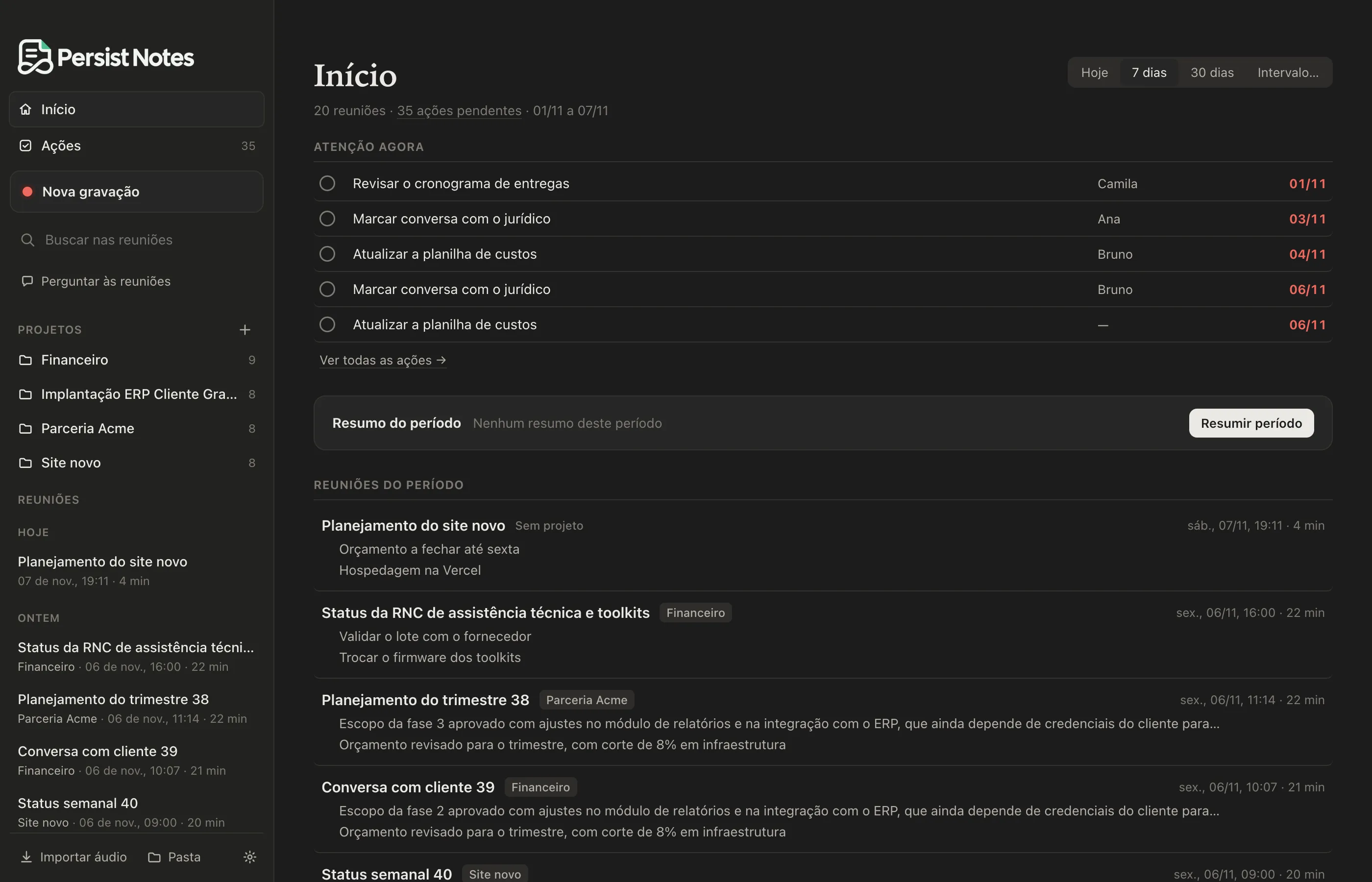
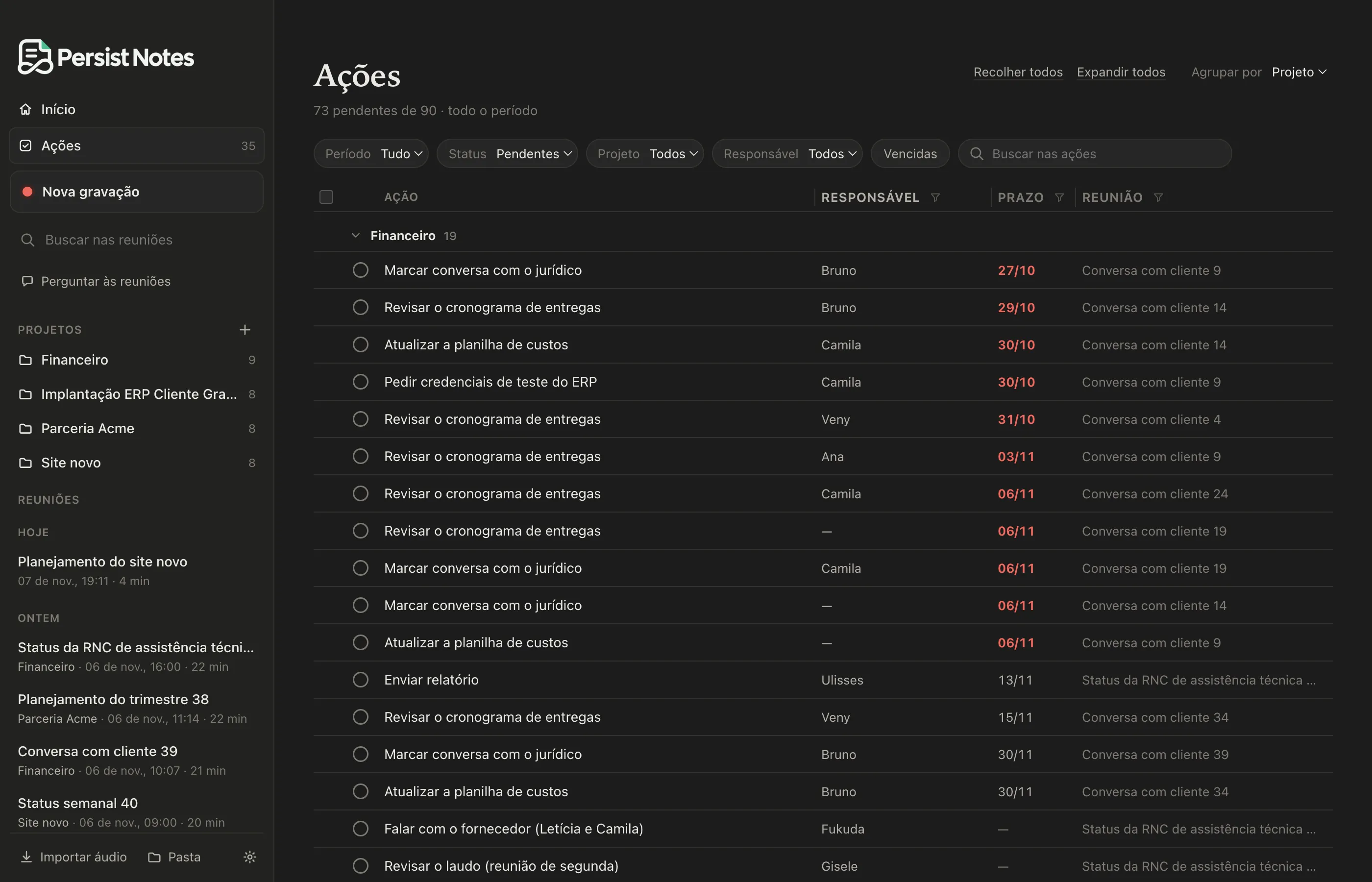
Meetings grouped by project, with a synthesis that keeps itself up to date. Next steps become actions with an owner and a due date. And you can ask your meetings questions, in the app or through Claude.
How it works
Record
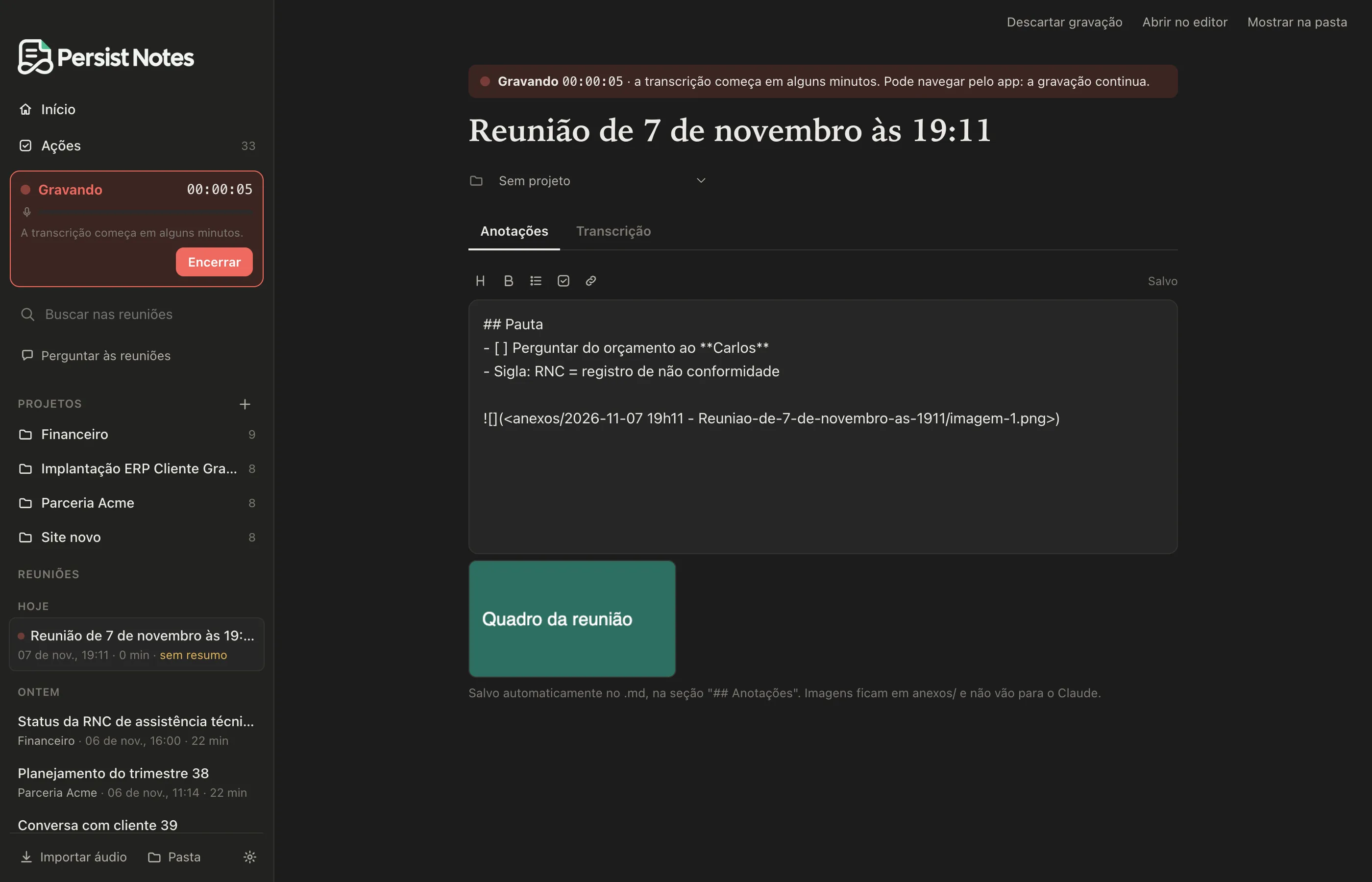
Click New recording. The app captures your microphone and the call audio on separate channels, with any meeting tool. Meanwhile, write your notes right in the meeting.
Transcribe on your computer
Transcription happens on your own computer, using a speech recognition model that runs on it, while the meeting is happening. When you end it, the app separates the participants’ voices.
Summarize and organize
Claude writes the summary, the decisions, and the next steps. Everything stays in the meeting's .md file, linked to the project.
Inside the app
Transparency about Claude
- Recording audio
- Transcript, made on your computer
- .md files and notes
- Voice profile
- Transcript text
- Notes, without images
- Summary, decisions and next steps
The summary is written by Claude, from Anthropic. Persist Notes uses the Claude Code installed on your computer and your Claude subscription. We don't charge for the summary.
Sent to Claude: the transcript text and your notes. Not sent: the audio, images pasted into your notes, and your voice profile.
Persist Notes does not receive the content of your meetings. It only receives what your account and plan need: email, computers, and hours recorded.
Without Claude, the app records and transcribes as usual. You just don't get the summary.
Start with the free plan
5 hours of recording per month, with every feature.